

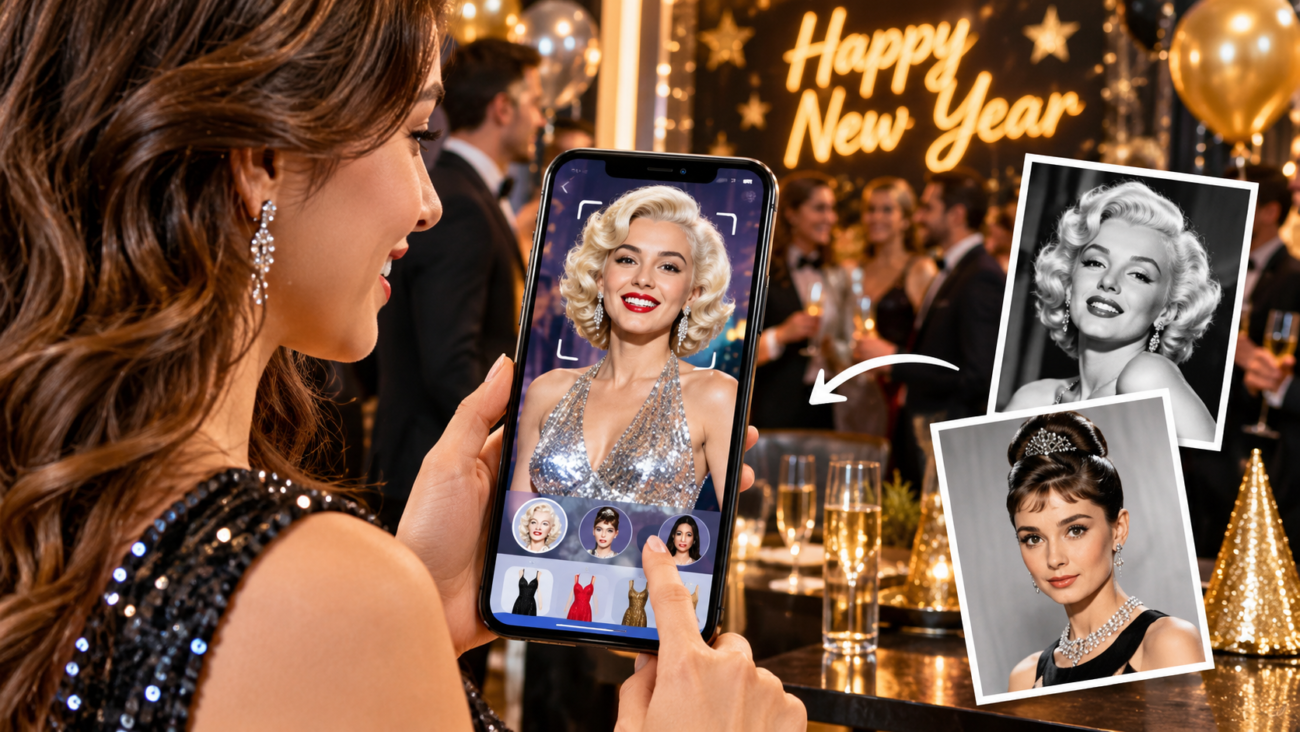
Every December, someone in the group chat suggests a theme for New Year’s Eve, and “come as a movie icon” wins almost every time. Before anyone orders a costume that arrives the week after the party, a live face swap and virtual try-on session lets guests test the outfit, the colors and the overall look on camera from their own living room.
Iconic film looks are harder to pull off than they seem. Audrey Hepburn’s black Givenchy dress in *Breakfast at Tiffany’s* (1961) is mostly about the silhouette, the pearls and the updo. John Travolta’s white three-piece suit from *Saturday Night Fever* (1977) depends on the wide lapels and the flared trousers. Margot Robbie’s Harley Quinn in *Suicide Squad* (2016) is all color: split pigtails, a baseball jacket and red-and-blue shorts.
Get the key detail wrong and you look like a guest in a black dress rather than Holly Golightly. Testing on camera first helps you find that detail before you spend money.
Pick Icons by Silhouette or by Color
Most famous movie looks fall into one of two groups, and knowing which one you are copying tells you what to test:
- Silhouette icons. Marilyn Monroe’s white halter dress from *The Seven Year Itch* (1955), Hepburn’s column dress and Travolta’s disco suit are recognized from the outline. Fit, length and shape matter most.
- Color icons. Harley Quinn, Uma Thurman’s white shirt and black bob in *Pulp Fiction* (1994), and The Dude’s bathrobe and jelly sandals in *The Big Lebowski* (1998) are recognized from a few strong colors or one signature item.
For silhouette icons, check the hemline and shoulders while moving. For color icons, check how the colors look under the lights you will actually party in.
How LiveSwapFace Works for Costume Tests
LiveSwapFace runs in a desktop or mobile browser with no download and no graphics card, because the AI processing happens in the cloud. A Windows desktop app is also available, which adds a virtual camera for video-call apps.
Three live modes are useful for a theme party:
- Try-On puts a chosen outfit on you in the live video and follows your posture as you turn and move. You can choose built-in looks, including suits, casual wear and costume styles, or upload a photo of the exact garment you are thinking of buying.
- Face Swap maps one reference photo onto your face in real time while following your expressions, gaze and head movement.
- Restyle redraws the whole picture in a different look, such as anime or a 3D cartoon, which suits comic-book characters.
Use your own face throughout. If you want to see the full look with character makeup, take one photo of yourself after a quick makeup test and use it as the Face Swap reference. That way you can try five outfits without redoing eyeliner five times.
Step 1: Collect Your Reference Photos
Build a small folder for each icon you are considering:
- Garment photos. Screenshots from the shop listing work if they show the full piece from the front on a plain background. Save them as JPEG, PNG or WebP under 5 MB.
- A makeup test photo (optional). One clear, front-facing picture in even light, with the whole head in frame.
- A still from the film. Keep it open on your phone so you can compare details like hem length and jewelry while you test.
Step 2: Light the Room Like the Party
Holiday parties are lit differently from a bedroom mirror. String lights usually sit around 2200K to 2700K, which makes whites look cream and pushes red toward orange. LED strip lights in purple or blue can turn a black dress navy on camera.
Test twice. First stand facing a window during the day to see the true colors. Then switch off the ceiling light, turn on the string lights or LED strips you plan to use, and test again. Harley Quinn’s red and blue should still read as red and blue. Travolta’s suit should still look white, not yellow.
Place your laptop or phone at chest height, step back about six feet so most of your body is in frame, and keep a plain wall behind you.
Step 3: Test the Look in Motion
Open LiveSwapFace, allow camera access and start Try-On with your first outfit. Stand still for a few seconds, then move the way you will at the party:
- Raise a glass to shoulder height for the midnight toast.
- Turn sideways and look back over your shoulder, the classic red-carpet pose.
- Do the *Saturday Night Fever* point, or any move the character is famous for.
Switch outfits and repeat. Take screenshots of each look in the same pose so you can compare them side by side later. If you are going as a comic-book character, record a few seconds in Restyle as well. The illustrated version often reads more like the character than a realistic costume does.
Step 4: Coordinate the Group Before Anyone Buys
Three Audrey Hepburns at one party is a common problem. Avoid it with a shared sheet or group chat thread where each guest posts one screenshot from their test and claims an icon.
Assigning decades helps the photos later: a 1950s guest, a 1960s guest, a 1970s guest and so on. A group shot that runs from Monroe to Harley Quinn tells a better story than five versions of the same film.
Step 5: Bring Remote Friends Into the Countdown
Not every friend can make it to the party. Someone has moved to another city, someone is home with a newborn, someone is stuck working a holiday shift. They can still join the theme on a video call.
With the LiveSwapFace desktop app on Windows, a remote guest starts Try-On or Face Swap, clicks Send to virtual camera and selects LiveSwapFace Camera as the camera in Zoom. The official guide on how to face swap on Zoom walks through the settings step by step. It is easiest to start the camera in the LiveSwapFace app before turning on video in Zoom.
Put a laptop or TV on a side table at the party with the call open, so remote guests appear in costume next to everyone else. If friends are in different time zones, plan a second countdown for them. Ringing in the New Year twice is part of the fun.
Step 6: Buy Only What Made the Cut
Once the group has settled on icons, compare your screenshots against the film still one last time. Buy the pieces that carry the look: the pearls and long gloves for Hepburn, the wide-lapel white suit for Travolta, the two-tone jacket for Harley Quinn. Skip the extras the camera showed you did not need.
Save your screenshots in a folder labeled with the year. When next December’s group chat starts debating themes, you will already know which looks work on you and which icon to try next.
