

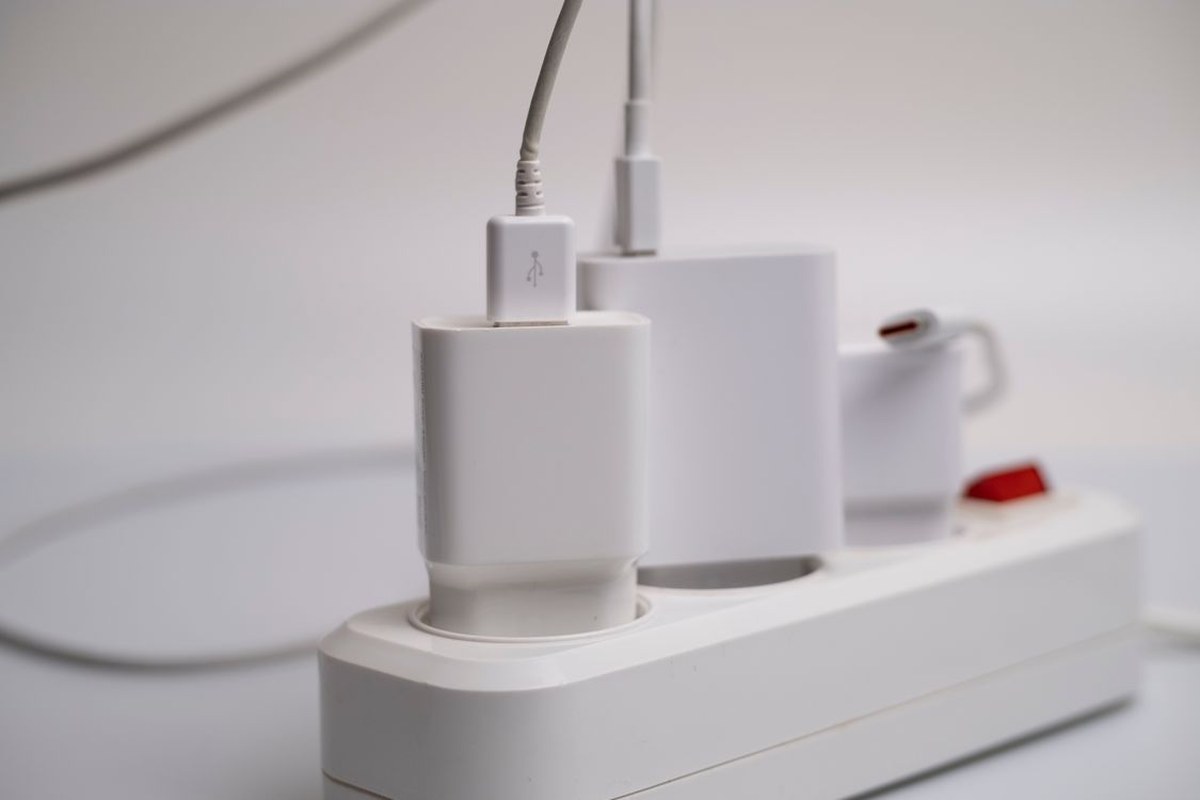
Yes, unplugging appliances can save electricity — but only for appliances that keep drawing power after you switch them off. If a device is truly disconnected from power, it cannot use electricity. The real question is not whether unplugging works in principle, but which of your devices are still quietly using power, how much that adds up to, and whether the daily effort is worth it for your home.
Many people picture a television that is switched off as using nothing at all. With older, simple appliances, that was often accurate. With modern electronics, it is not always true: a television waiting for a remote-control signal, a microwave keeping its clock lit, a game console downloading an update overnight, and a printer in sleep mode can all draw a small amount of power while they look idle. That hidden draw is called standby power, phantom load, or vampire power.
What Is Standby Power, Exactly?
Standby power is electricity used by an appliance or electronic device when it is plugged in but not performing its main job. Lawrence Berkeley National Laboratory describes this kind of use as power drawn while a device is switched off or not performing its principal function. In plain terms, the device is resting, not working, yet it is still connected to the electricity supply.
Devices draw standby power for practical reasons: a remote-control sensor needs power to hear the next command, a digital clock needs power to keep time, and a network-connected device may stay ready to receive updates or wake quickly. None of this means the device is broken. It means “off” now has more than one meaning: fully off, and waiting in standby.
So, Does Unplugging Appliances Save Electricity?
The short answer is yes, when the appliance would otherwise draw standby power. Unplugging removes the device from the electricity supply completely, so its standby draw drops to zero. There is no trick to this part: a device that is not connected cannot consume power.
The longer answer is that the saving depends on the device. Unplugging a simple toaster with a mechanical switch, which draws nothing when it is off, saves nothing. Unplugging a cable box, an older game console, or a home entertainment system that stays partly awake can save a noticeable amount over a year. The difference between those two cases is the whole point of a sensible approach: target the devices that actually draw standby power, and leave the rest alone.
Keep expectations realistic: standby power is rarely the largest item on a household electricity bill. Heating, cooling, water heating, and refrigeration generally use far more. Unplugging is worth doing because it is simple and stops waste, not because it replaces bigger savings.
How Much Electricity Does Standby Power Really Use?
The U.S. Department of Energy estimates that standby power accounts for roughly 5 to 10 percent of residential electricity use. That figure is often quoted because it gives a sense of scale: standby power is a small share of a typical home’s total use, but it is not zero, and across dozens of devices it adds up.
Your own share will vary. A home with a few modern, efficient devices will sit at the lower end of that range or below it, while a home with several older televisions, set-top boxes, printers, chargers, and game consoles left plugged in around the clock may sit higher.
A simple piece of arithmetic shows why small watts still matter. One watt drawn continuously for a full year uses 8,760 watt-hours, or about 8.8 kilowatt-hours, because there are 8,760 hours in a year. A single watt is tiny. Ten devices each drawing a watt, all year, add up to roughly 88 kilowatt-hours. That is why energy experts focus on the total across the home rather than on any one charger or clock display.
For that reason, this article avoids promising a fixed dollar saving for your home. Electricity rates differ by state and supplier, and older devices can draw much more in standby than newer ones. The honest way to estimate your own saving is to find your biggest standby users and measure them.
Which Appliances And Devices Use The Most Standby Power?
As a general rule, the biggest standby users tend to be devices that stay connected, stay ready, or keep a display lit. The following types of device are the most useful places to look first:
- Televisions, set-top boxes, cable boxes, and DVRs, especially older models that stay partly awake to receive program information or updates.
- Game consoles left in an instant-on or rest mode so they can download updates and wake quickly.
- Desktop computers, monitors, printers, and scanners left in sleep mode rather than switched off.
- Home theater receivers, soundbars, and speakers that remain ready for a remote command.
- Microwaves, coffee makers, and other kitchen appliances with glowing clocks or digital displays.
- Chargers left plugged into the wall, including phone and laptop chargers with nothing attached.
- Devices in rooms you rarely use, such as a guest-room television, an old stereo, or a second printer.
Age matters here. Lawrence Berkeley National Laboratory’s standby power work has long noted wide variation between models offering the same features. An older device may draw several times as much in standby as a newer equivalent, which makes rarely used older equipment a particularly good candidate for unplugging.
Seasonal devices are easy to forget: a portable heater, dehumidifier, or garden tool charger left plugged in for months between uses. If you will not use it for weeks, unplugging it costs no daily effort at all.
Which Appliances Do Not Benefit From Unplugging?
Not every plugged-in appliance draws standby power. Devices with a true mechanical switch that physically breaks the circuit — such as many simple lamps, kettles, toasters, and older mixers — generally use no electricity when switched off. Unplugging them changes nothing, except that it adds work to your day.
The same logic applies to anything you use many times a day. If you unplug and replug the coffee maker, the kettle, or the toaster every single time you use it, the saving is likely to be small and the habit is unlikely to last. Energy-saving habits work best when they are easy to keep. A routine you abandon after a week saves less than a simpler routine you actually follow all year.
Repeatedly yanking plugs, especially from hard-to-reach outlets, can damage cords and outlets over time. Pull a plug by its body, not by its cord, and use a switched strip if reaching an outlet is difficult.
What You Should Not Unplug
Some devices need to stay powered, and unplugging them can cause more trouble than it saves. Your refrigerator and freezer must stay on to keep food safe. Medical devices, security systems, smoke alarms, and any device your household depends on for safety should stay connected unless a manufacturer or professional tells you otherwise.
Your internet router is another device most homes should leave alone. Switching a router off overnight may save a small amount of standby power, but it can also interrupt updates, connected security devices, and other household members or devices that rely on the connection. If your concern is the safety of your home network rather than its power use, a strong Wi-Fi password and up-to-date router settings matter far more than unplugging the router at night.
Think twice about devices that lose settings or recordings when power is removed, and never unplug a washing machine or dishwasher mid-cycle. If unplugging means reprogramming a device every time, put it in the “leave alone” group.
The Easiest Way To Cut Standby Power Without Daily Hassle
The most effective approach for most homes is not to unplug everything, but to group devices together and switch the whole group off with one action. A switched power strip does exactly that. Plug the television, set-top box, game console, and soundbar into one strip, and one switch cuts power to all of them when you are done for the evening. The same idea works for a computer desk: monitor, printer, scanner, and speakers on one strip, switched off when work is finished.
Smart plugs and advanced power strips offer a more automatic version of the same idea. Some strips cut power to peripheral devices when a main device is switched off, and smart plugs can follow a schedule, switching devices off overnight or while you are away. These tools are most useful when they match your routine.
When you buy new equipment, look for low standby power and ENERGY STAR qualified products. You do not need to replace working equipment just to chase standby savings, but when a device needs replacing anyway, an efficient model is a sensible choice.
A plug-in watt meter is the most direct way to find your own worst offenders. Plug the meter into the outlet, plug the device into the meter, and read the standby draw. Measuring removes guesswork and stops you spending effort on devices that were never a problem.
A Simple Weekly Routine That Actually Sticks
A routine that takes a few minutes once, rather than effort every day, is the one most people keep. Walk through your home, list devices that stay plugged in but are rarely used, unplug the ones you will not need for weeks, and put the entertainment and computer groups on switched strips.
Next, build one habit into a moment you already have: switching off the entertainment strip when you go to bed, or switching off the desk strip when you finish work. Attach the new habit to an existing one, and it becomes automatic far faster than a separate chore you must remember from scratch.
Finally, check in once in a while rather than every day. If you add a new television, console, or printer, decide at setup time whether it belongs on a switched strip. If you stop using a device, unplug it at that moment rather than leaving it connected out of habit.
Standby power is one part of a larger home improvement picture rather than a single trick. Planning bigger upgrades carefully, as discussed in our home additions guide, is a reminder that the best energy savings usually come from small habits combined with well-chosen improvements.
When Unplugging Will Not Make Much Difference
It is worth being honest about the limits. If your home has few devices, modern efficient electronics, and a small number of standby users, unplugging may save only a small amount. That is not a failure of the advice; it simply means your home was already close to efficient on this point, and your bigger savings lie elsewhere.
Similarly, unplugging will not fix a high bill caused mainly by heating, cooling, an old refrigerator, or long hours of active use. If your bill suddenly jumps, look first for a change in heating or cooling or a faulty appliance, rather than blaming standby power alone.
The value of unplugging is best judged over a year, not over a week. A few watts saved around the clock accumulate slowly. It is a modest, reliable saving — not a dramatic one — and most worthwhile when it costs almost no daily effort.
Conclusion: Unplug Smart, Not Everything
So, does unplugging appliances save electricity? Yes — for the devices that draw standby power, unplugging stops that draw completely. The smartest approach is selective: unplug rarely used and older devices, put entertainment and computer equipment on switched strips, leave safety devices, refrigeration, and your router alone, and measure your biggest users if you want a precise picture.
You do not need a perfect routine to benefit. One switched strip, a few unplugged forgotten devices, and a habit of switching off a group when you are done are enough to capture most of the saving available in a typical home. Start with the devices that are easiest to reach and most often idle, and let the rest of your energy-saving effort go where it will make the biggest difference.
Frequently Asked Questions
Does Unplugging A Phone Charger Save Electricity?
Yes, a small amount, if the charger draws power while plugged in with nothing attached. Modern chargers typically draw very little in that state, so the saving from one charger alone is small. The habit matters more when several chargers and adapters are left plugged in all year.
Should I Unplug My TV Every Night?
You do not need to pull the plug every night if the television is on a switched power strip. Switching the strip off achieves the same result with far less effort. If the television is an older model, or it is in a room you rarely use, unplugging it or switching it off at the strip is a sensible step.
Is It Safe To Leave Appliances Plugged In?
Leaving modern appliances plugged in is normal, but damaged cords, overloaded strips, and plugs that feel hot are warning signs that should be checked. Never overload a power strip, never run cords under rugs where damage can go unnoticed, and replace any cord or strip that is frayed, cracked, or hot to the touch.
Do Power Strips Themselves Use Electricity?
A basic switched power strip uses no meaningful power when its switch is off, because the switch breaks the circuit to everything plugged into it. Smart strips and smart plugs may draw a tiny amount themselves to run their own controls, so check the product information if you want to compare models.
Will Unplugging Appliances Lower My Bill Noticeably?
It can lower your bill by a small amount, because standby power is typically a small share of a home’s total electricity use. The saving is most noticeable in homes with many older or always-ready devices. For a precise estimate, measure your own devices with a watt meter and compare the result with your electricity rate.
